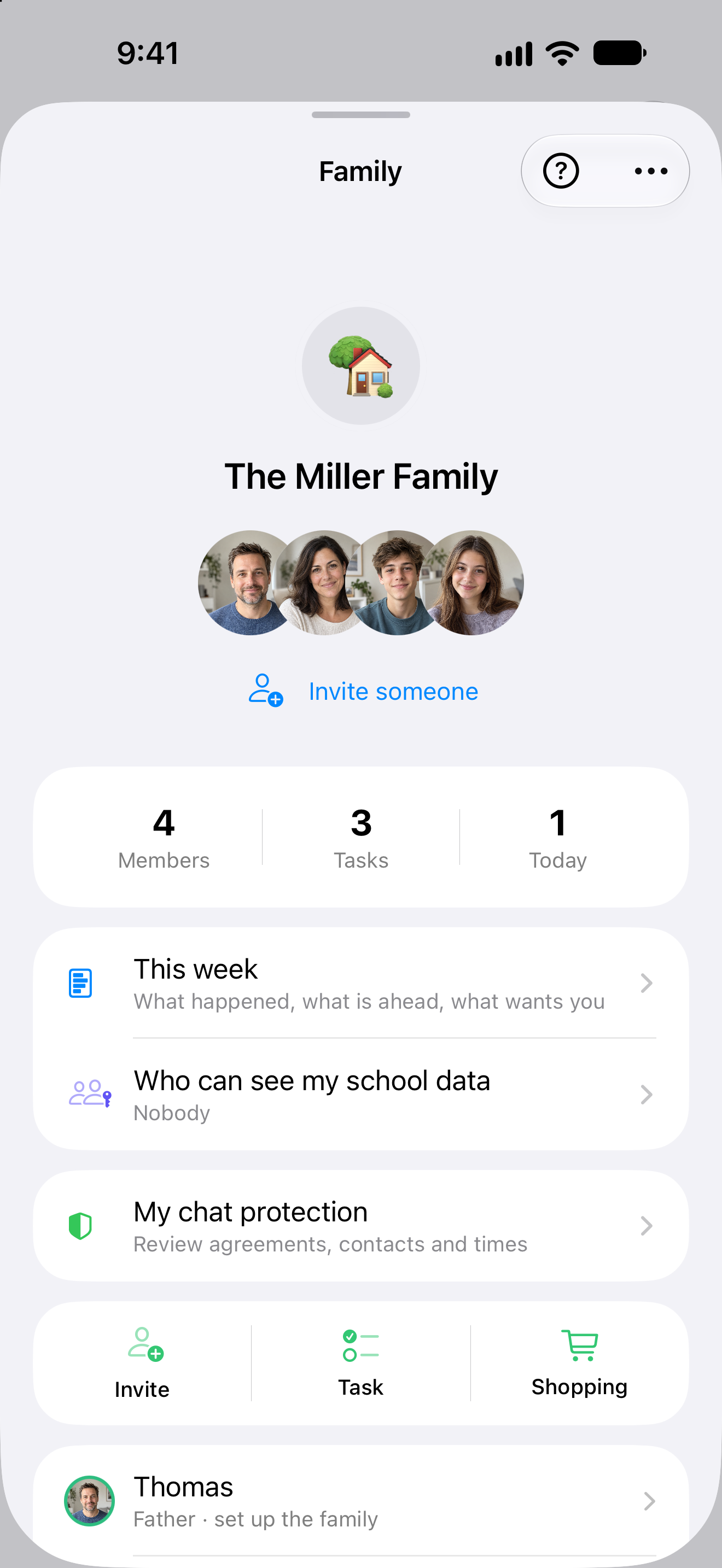
Go shopping, take on a task, talk about the week. The Family Hub keeps everyday plans easy to find after the conversation has moved on.
Inside the app
From an overview to getting started.
Quick actions open a new task or the shopping list. Everyone joins with their own account.
Original Clarity app view from 25 September 2026 with example data.
Less organising. More living.
A little less back-and-forth. A lot more together.
The little arrangements fill the day. Clarity gives them one place — and you more room for the people behind them.
Time together. Editorial image generated with AI.
Clarity Chat
One message.Everyone in the loop.
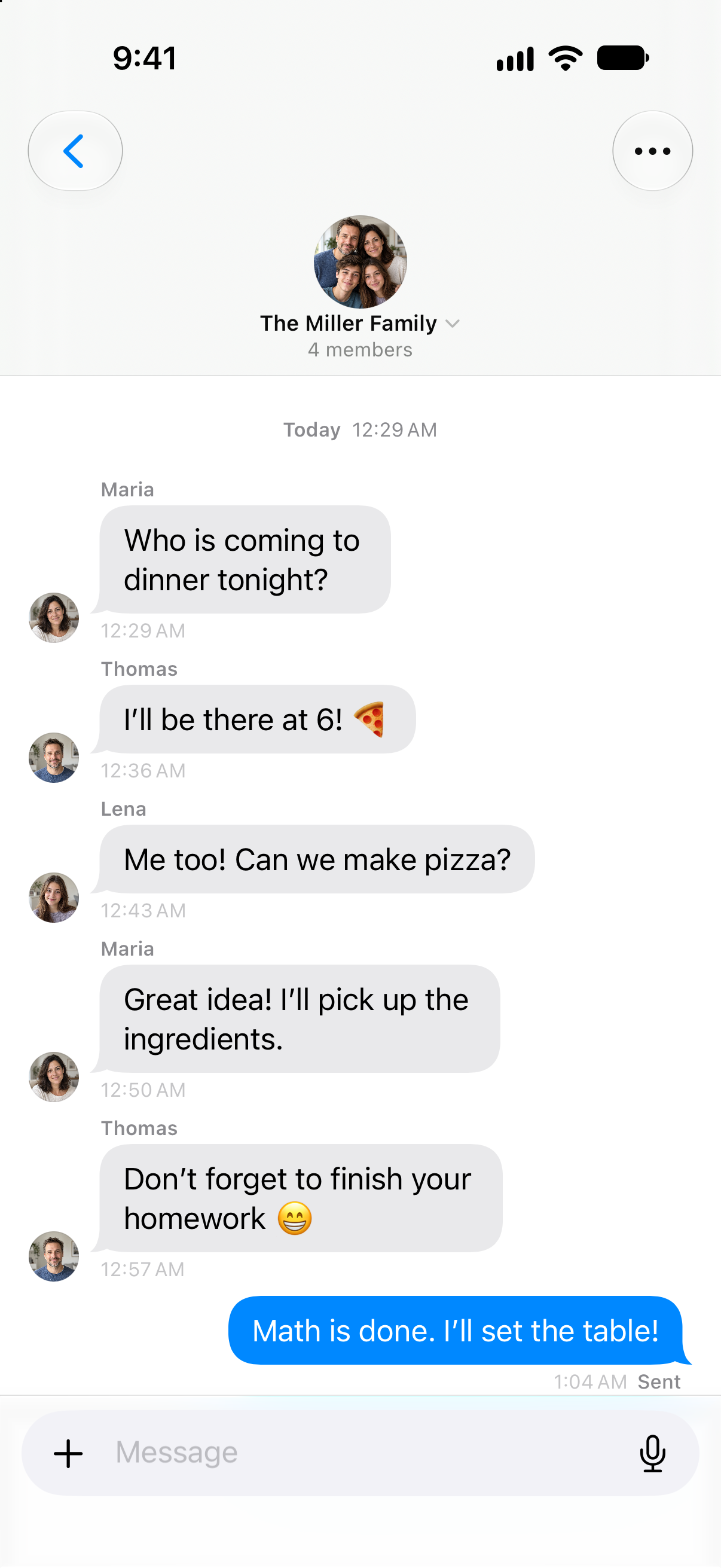
Dinner should start with anticipation. Family chat brings the quick questions and replies into one conversation — so nobody has to pass the message on.
Who is coming? Who will shop? Open the conversation and pick up where you left off.
Time for their interests.A framework you agree on.
You can prepare a time budget. Limits for other apps also need Screen Time permission on the connected child's iPhone.
A framework you choose together
Different days. Different allowances.
After class and homework, there is room for personal interests.
Choose a day and adjust its example allowance. Each kind of day keeps its own value.
Leisure apps
90min
per day · School day
School day
90 min
Day off
120 min
Chosen together. Shaped around your day.
Setup status
Know what is actually set up.
Set up the agreed allowance on the connected child’s device. Clarity shows when Screen Time permission is still needed. Chat hours have their own setting.
Screen Time permission is still needed on Lena's iPhone.
Interactive website demo with example data. No settings are changed. Clarity chat hours work separately from app limits; enforcing those limits requires setup on the child's device.
Growing up. With you beside them.
Contacts, chat hours and Screen Time. Explore adjustable starting points and the guidance behind them.
Shopping, training and a school deadline fall in the same week for Samira's household. Clarity Family gives their shared arrangements a place. Each person has their own account; joining the family does not make every personal record visible to everyone.
01
Assign the shared tasks
Samira opens the family tasks and records who should handle the shopping. A deadline and agreed points can belong to the task, with responsibility and completion status visible. This information belongs to the shared family area. Planning through Family or One does not require anyone to use another person's personal account.
02
Talk through the week together
A training appointment is in the family calendar, and the ingredients are on the shopping list. Samira discusses the arrangement in family chat. Shared family records are visible together; private calendars and journal entries are not fully shared simply because everyone belongs to one family. The relevant permission remains separate from membership itself.
03
Support school with a clear boundary
Her child decides whether to share a school report. Samira sees only the allowed copy with its recorded status, rather than live monitoring. The child can end sharing, removing the shared report copy. Calendar events already imported remain as copies. Health data stays outside both the school monitor and the shared family area.
Fictional person and everyday situation, illustrating the functions described. AI-created editorial photograph.
A closer look
Shared organisation with separate personal areas
Record tasks and responsibility
Family tasks can have a responsible person, a deadline and agreed points. The view separates open and completed tasks and responsibility still awaiting confirmation. Members act within their permissions. Points already awarded are not awarded again by repeating completion; the saved shared state is not itself a promise that somebody has accepted responsibility.
Find a specific arrangement with a person and deadline rather than relying on what was said.
See family appointments in the week
The family calendar belongs to the shared family area. Its events can appear alongside shared tasks in the family week. You enter appointments intended for coordination, rather than automatically exposing every personal calendar. Task and calendar access require the relevant Family entitlement and remain distinct from each person's private planning area and its separate contents.
Give shared commitments a place you can open together when planning the week.
Maintain shopping and lists together
The shopping list records shared items and their checked status. Additional family lists provide a place for recurring arrangements. Add what the household needs and check off the shopping directly in the list. The next person opening it can see the saved status; available areas follow confirmed membership and the permissions that apply to you.
A shared item shows what is still on the list and what has already been checked off.
Discuss arrangements in family chat
The family area has a shared chat for discussing your arrangements. It belongs to the confirmed family. A message containing a date does not automatically become a task or calendar event. When an arrangement needs to become part of the plan, you deliberately record it in the appropriate family task or calendar area.
Reach the conversation and shared organisation in Clarity without treating a message as completed planning.
View and end school sharing
The school monitor shows only explicitly allowed school information with its confirmed status. The child can see who may read the report copy and end sharing. Revocation removes permission and the shared report copy, but does not recall calendar copies already saved. Personal Health data remains excluded; this view is not continuous monitoring.
School support has a visible source, a recorded point in time and a boundary the child can change.
Your next step
More room for your everyday life together.
See how Clarity Family fits your everyday life. Compare what is included and choose your billing period.
What is connected. What may act. Where the boundary lies.
Consequence classes describe only actions prepared by Clarity. What you enter or start directly remains your own action.
Updated11 August 2026
Status
Family
The plan conditions and boundaries named on this page still apply.
Relevant sources
ClarityShared family areas
Shared tasks, calendars, lists, chat and explicitly authorised school context.
Action & approval
C0Observe
No execution path required.
C2After your approval
Preview and explicit approval before execution.
Viewing remains C0. Changes to shared data prepared by Clarity require approval; the child's school permission remains separately visible and revocable.
Stored scope
The current web meter measures per person. A shared household pool is not yet a published product contract.
Family500 GB Clarity Space*Up to 5 people · The current web meter measures per person. A shared household pool is not yet a published product contract.
Plan assignment
Family
Known boundary
Health data is deliberately excluded from Family.
Good to know
Health data is deliberately excluded from Family.
Children can stop school sharing. The shared report is removed; previously copied calendar entries remain.
The school monitor shows a time-labelled snapshot, not live surveillance.
A Family plan includes one paying person and four people who join.