
Your material becomes vocabulary. Bring word pairs from a photo, your voice or a list into a deck. Review and choose before you add them.
Explore the details · Your material becomes vocabulary. Clarity
The next generation · autumn 2026
Your plan. Ready for real life.
The next generation of Clarity does more than manage what is due. It is designed to understand what a change may set in motion, while leaving the decision with you.

Explore Clarity
It’s in the little details.
A word you want to remember. A task you need to understand. The people you make plans with. Take a closer look at what each part of Clarity can do.
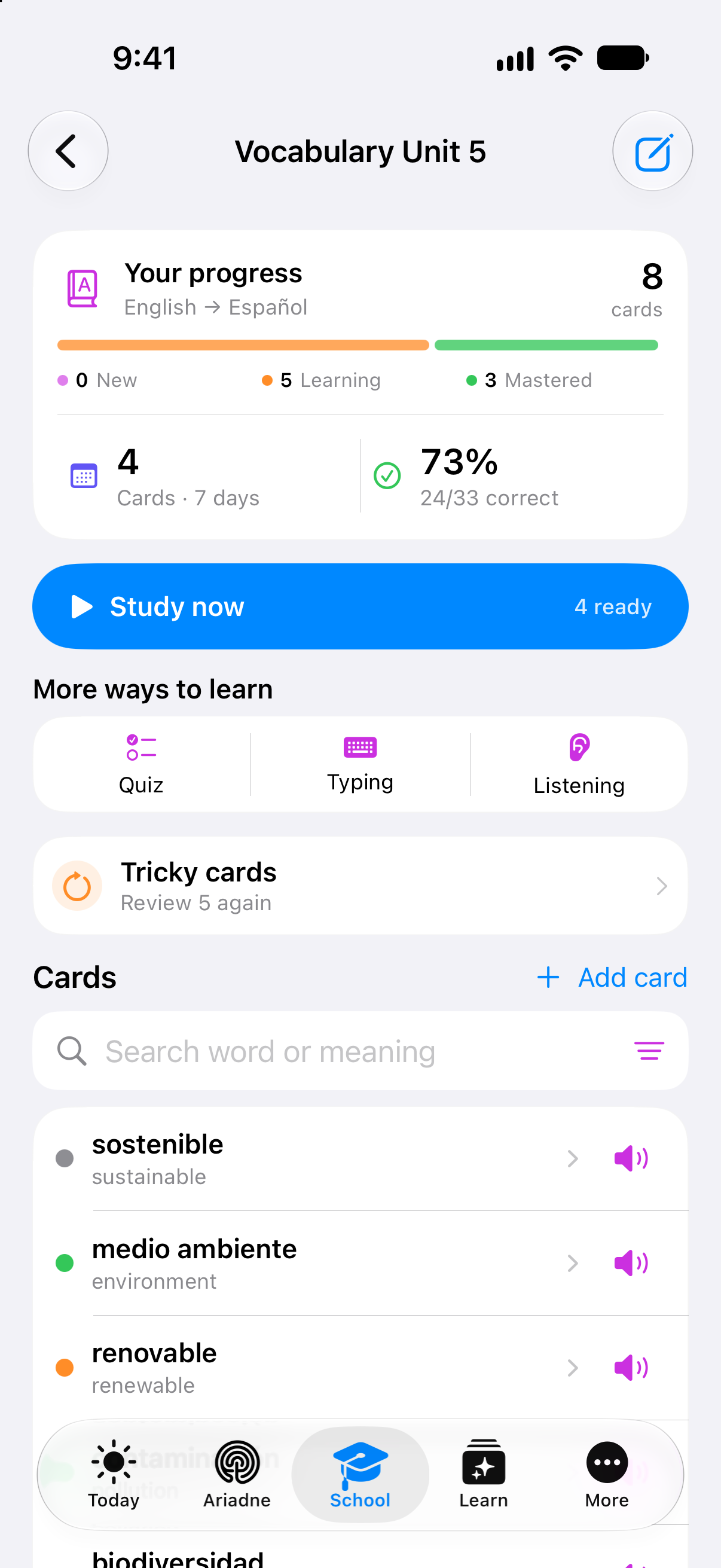
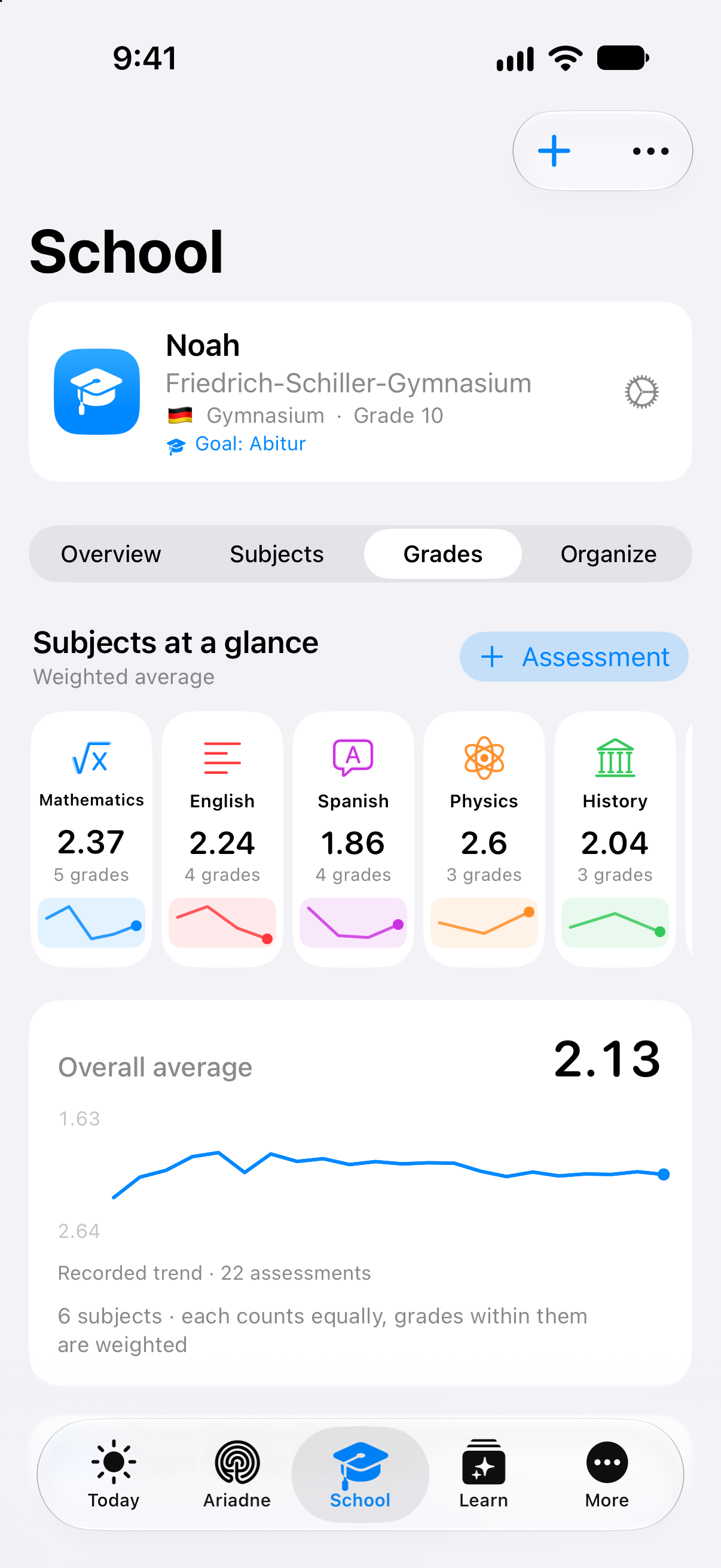
Details from original app captures · September 2026 · example data
An answer can be a diagram. Explore a plant cell, follow a function or compare supply and demand. The explanation stays with your Study Card.
Explore the details · An answer can be a diagram.A project keeps its sources. Turn passages from attached material into steps. Keep the original close and decide what belongs in your project.
Explore the details · A project keeps its sources.A thought can start with your voice. Keep recordings, transcripts and the next review step together in Voice Notes.
Explore the details · A thought can start with your voice.Class context stays close. Classes, attendance, material and tests support your teaching day. Review the work and make the final decisions yourself.
Explore the details · Class context stays close.



Shared life. Personal space. Bring tasks, shopping and family chat together. Everyone keeps their own account; school information is shared by choice.
Explore the details · Shared life. Personal space.From one morning to the next
The highlights.
A planned arc through the day for the next generation of Clarity. Every item remains marked as a preview or planned until it is released.

MorningPreview
Daily Brief
Clarity summarises what has changed since yesterday.

NowPreview
One Move
One helpful next step instead of a long priority list.

When plans shiftPreview
Clarity Ripple
See potential consequences before you approve a change.

EveningPlanned
Reflection
A short review instead of minute-by-minute self-optimisation.

WeeklyPlanned
Review
Understand patterns and plan the next week more realistically.
Preview · Clarity Ripple
One event changes. Your overview does not.
Ripple is designed to show the potential effects of a rescheduled event across school, focus, family and travel. You first see what Clarity would change. Then you decide. Ripple has not been released and remains a preview until every route has been fully verified.
View action safeguardsClarity Ripple · Interactive concept preview
One delay.Explore the next step.
Change the delay. See which study slot still fits. Decide before anything moves.
The train is running late
The next step
can still fit.
Your study block follows the train. Basketball stays at 16:30. Ripple is designed to show a proposal with the changed times and the remaining buffer.
Your proposalPreviewTrain journeyArrival 15:20 · +20 min
Practise linear functions15:00–15:25 15:20–15:45
Room before your next appointment
BasketballStays as planned
One study block moves. Basketball stays in place.
Concept preview with prepared data. This future feature is not released; no AI request or calendar change is made.
Daily Brief · Interactive concept preview
A full day.A clear first step.
Explore how selected planning information could become a short, useful morning overview.
You choose the context
Your sources.
Your overview.
Switch the example sources on and off. The overview changes with them. A missing source is never treated as a confirmed fact.
Daily BriefPreviewGood morning, Lena.
A little room for learning.
Your study group ends at 15:00. Basketball starts at 16:30.
Practise linear functionsMathematics · due tomorrow
POSSIBLE NEXT STEPConsider 25 minutes after the study group.
Concept preview with prepared data. This future feature is not released; no AI request or calendar change is made.
Control that stays visible
Ariadne helps you move forward.
You set the direction.
Sources, data scope and room for action do not belong in the small print. They are part of every assisted action route.
Selected sources
Context is not automatically assembled from every area of life.
Preview before impact
Material assisted changes are shown before they are carried out.
Deliberate approval
Greater impact requires clearer consent; especially sensitive steps remain with the person.
Receipt and undo
Completed steps remain traceable and can be undone when the route allows it.
Global stop
Automated action routes can be stopped centrally.

On your device when appropriate
Personal starts personally.
Many features begin directly on your device. When sign-in, synchronisation, collaboration, support or selected cloud AI transfer data, Clarity is designed to explain where it goes, why and to what extent first.
Understand privacy
Preview and receipt
You see what is meant to change.
Material actions begin with an understandable preview. After you approve them, a receipt records the source, effect and undo option when the action allows it.
View controls
For different ways of accessing Clarity
How you use Clarity matters.
Scalable type, clear contrast, keyboard access, calm motion and semantic structure belong in the everyday product. We will claim formal conformance only after an external review.
Accessibility
More clarity. More life.
The best moment is when you close Clarity again.
We build quickly.
We release only what holds up.
For now, only ‘autumn 2026’ is an officially supportable timeframe. A specific date will be published only after Apple and Audecius have confirmed it.