
Vocabulary
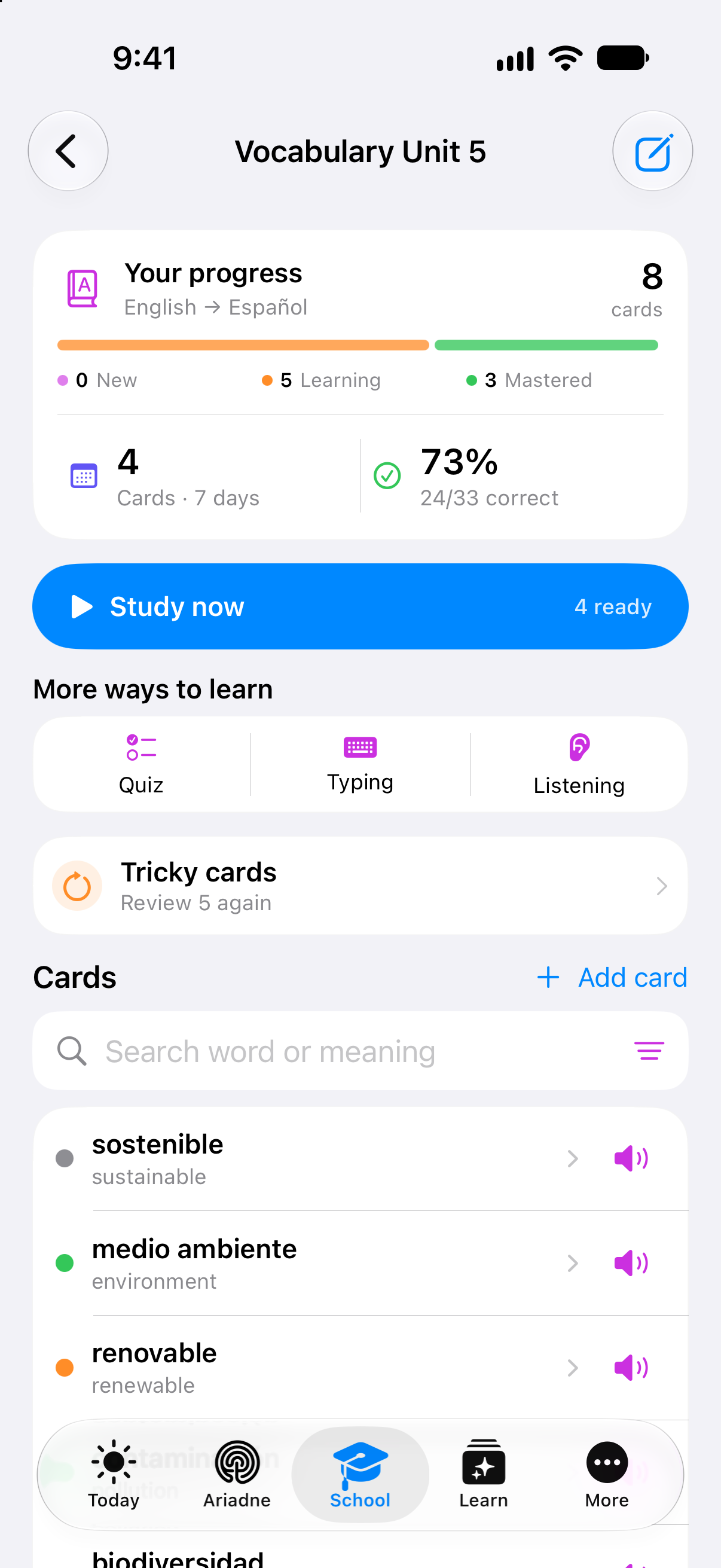
A word. Many ways to learn it.
See how a photo, a voice note or a list can become reviewed word pairs. Explore the different practice modes and the progress behind your next session.
Explore word importA closer look at Clarity
The features you use. The details that make a difference. Discover what has changed on the website and find your next thing to explore.
Explore the updateOriginal app details, more complete product stories and examples you can explore right here.
Vocabulary
See how a photo, a voice note or a list can become reviewed word pairs. Explore the different practice modes and the progress behind your next session.
Explore word import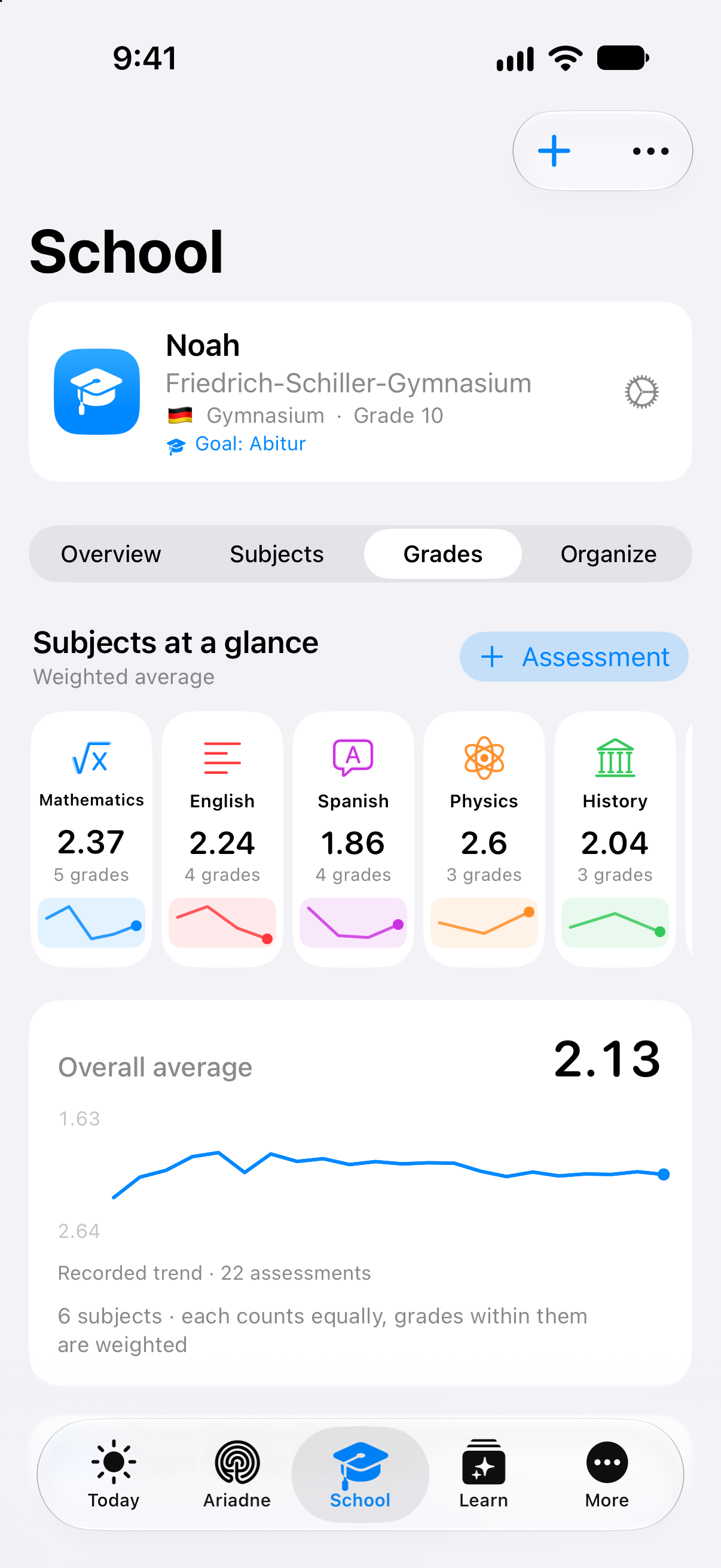
Grades
Follow the recorded trend, see how weightings affect an average and try entering a grade in the website example. Each result has a context.
Take a closer look at Grades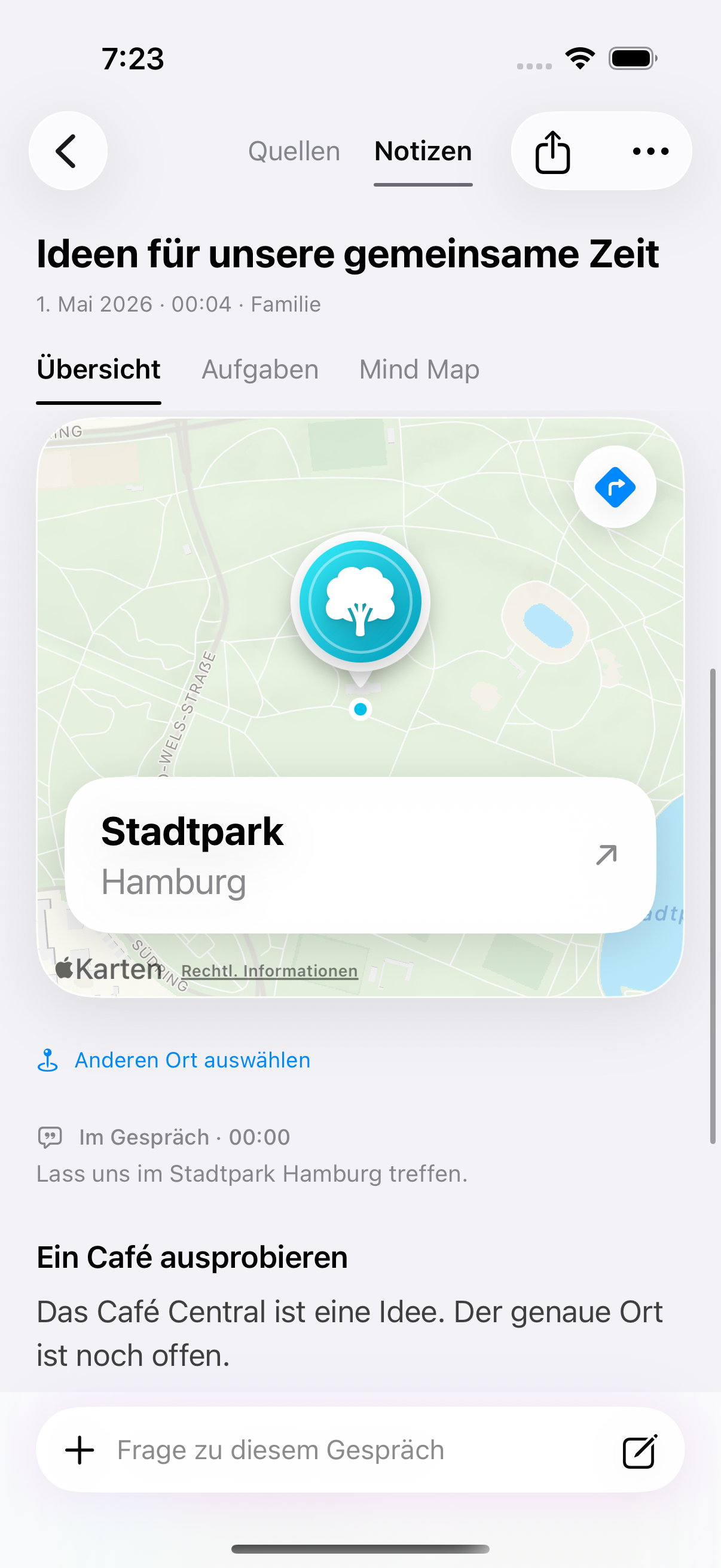
Voice Notes
The new page takes you from the original words to a summary and a next-step draft. A place can stay with the conversation; an uncertain date stays open for review.
Explore Voice NotesOriginal Clarity app details with fictional example data. Voice Notes: German app view from 13 September 2026. Website examples are illustrations; feature requirements are explained on each product page.
More in this update
Keep the original brief, select a source passage and explore how it becomes a step. Responsibility, waiting and undated work each have a place.
Explore project materialExplore a cell in biology, follow a saved graph in mathematics and compare an economics example. The answer has the shape the subject needs.
Explore the subject examplesTry attendance, a seat assignment and a lesson log with fictional records. Discover how saved tests and answer keys fit into preparation.
Explore Clarity for teachers
A clearer choice
See which functions belong to each plan, compare monthly and yearly options and keep your selection as you continue. If you need help choosing, the plan advisor is available without signing in.
Compare plansThe plan advisor identifies AI answers and the plan guide. Availability and purchase options are shown before you continue.Earlier website updates
The first product pages brought features, roles, plans and help into one place. Ripple and Daily Brief were identified as previews.
See today’s feature overviewThe website introduced plan comparison and retained the selected plan through to the download page, with Free and School explained separately.
See the current plansDedicated routes made account settings, support, technical information and the Developer Centre easier to find.
Open supportThis update describes the website. It does not announce an App Store release or make every demonstrated feature available on every device and plan. Each feature page explains its current requirements.
Ripple and Daily Brief remain product previews. Release announcements and website updates are identified separately.