
Clarity Today
Your day.At a glance.
Your timetable, appointments and open tasks. Together in Today.

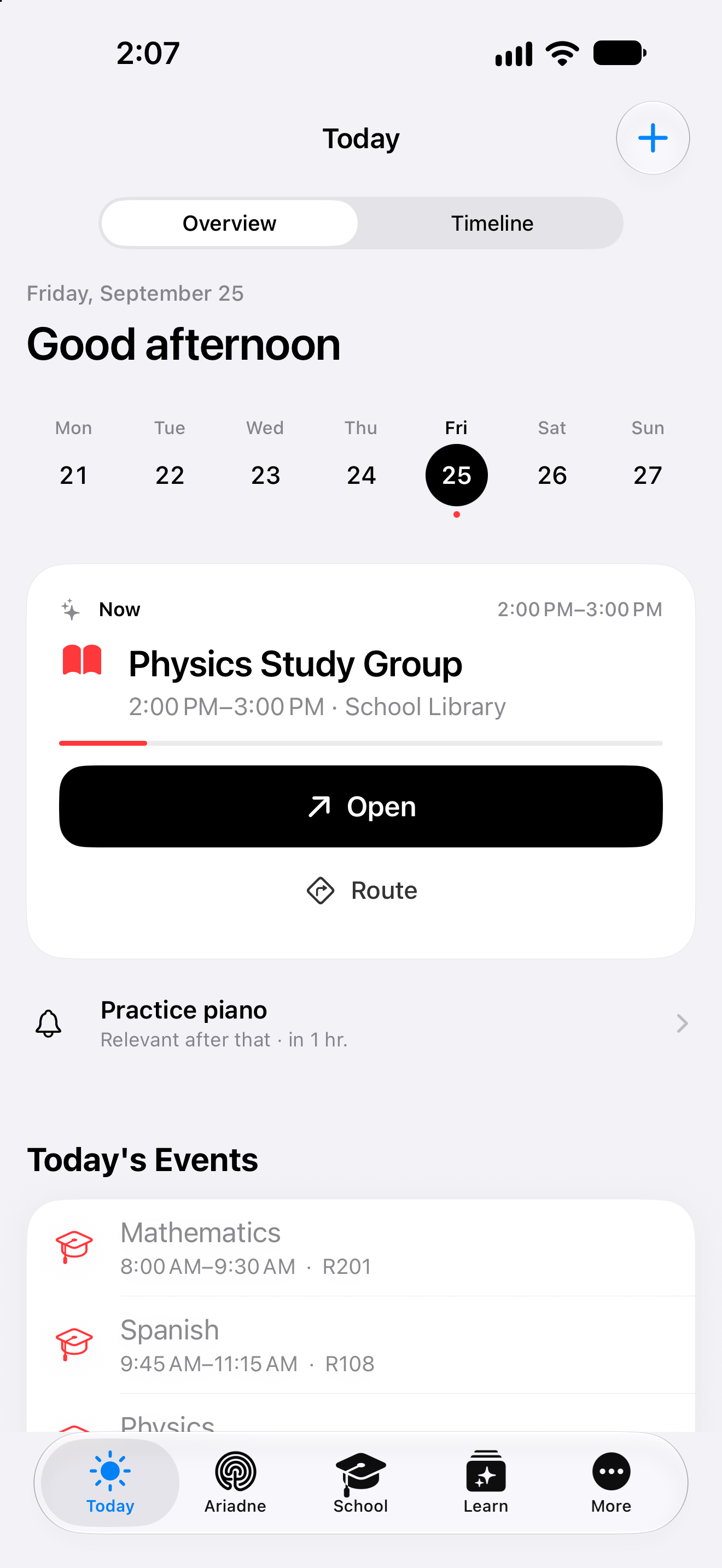
Original Clarity app · example day, 25 September
AvailableYour next appointment
Time. Place.
Ready to go.
Open a saved appointment straight from Today. Its details are right there.
Physics study group
School library
Website example with a fictional appointment.
Your day has clear sources.
Lessons, appointments and reminders come together — with their source still in view.
Choose a source.
Mathematics
R201
Physics study group
School library
Pack the workbook
Due today
- Comes from
- An appointment saved in Clarity
- Opens in the app
- Appointment details
Your saved appointment brings its name, time and place with it.

Your reminders
One less thing
on your mind.
Tick off a reminder in Today. That small thing you wanted to remember has its place.
Try ticking it off.
Website example. Your app data stays unchanged.
Creating an appointment
It starts with
what you have in mind.
Describe the arrangement. Let recognition separate the details. Then make the choices that belong to you.
Prepared website example · recognition uses sample data; your choices stay in this demo.
- 01Describe
- 02Review
- 03Your choice
From the plus button in Today
In Clarity, the description goes into the title field. With AI access available, you explicitly choose “Detect with AI” to fill a draft.
The timing. The place. Your choices.
Review the populated fields and adjust them. Repetition and an alert are separate options you choose yourself.
Appointment draft
Room for the details.
A closer look
From your day to the right place in Clarity.
The examples follow Noah, a fictional student, through an everyday situation.
Describe an event or reminder naturally
The Plus button opens the editor for an event or reminder. When AI access is available, Noah can write his intention in the title field and choose “Detect with AI”. Recognition can bring the kind, title, time, location, people, category and notes into the draft. He sees the populated fields in the same editor and can correct them before saving.
Begin with what you want to do, then review the individual details.
Decide on the details yourself
An event has fields for its start and end, location, people and further options. Noah adds an alert or selects a repeat rule himself. He can search for a place; an online arrangement can use FaceTime as its location. A reminder also has editable date, time and repeat options. The checkmark saves the entry once the details suit his intention.
Turn a draft into an entry whose important details you have deliberately chosen.
Lessons and appointments in the day
Today brings saved Clarity events, active timetable lessons and permitted events from selected Apple calendars together. Noah sees maths and the physics study group in the same day. Each retains its source: the lesson opens the timetable, while his own event opens its details. For Apple Calendar, he selects the sources that belong in his plan.
See fixed times together and prepare for the next entry.
From an unfinished assignment to Focus
Assignments retain their title and subject context. Noah can open the task, view its saved material and start Focus directly from a suitable school assignment. The title comes into the work block. He chooses a period, begins and marks the assignment himself after working on it. The overview, task and session therefore relate to the same piece of work.
The assignment leads to its material and a deliberate beginning.
From the day to its place and Calendar
A saved meeting place stays with its event and can be passed to Apple Maps from the daily context. When Noah wants to see more of his plan, he opens the selected day in Calendar with the date retained. Other daily signals lead to relevant Clarity areas such as the timetable or study cards, giving him a specific route onward.
Go from an entry to its location or the next view you need.
Your next step
A clear place to begin your day.
Start with the functions included in Free. Compare the plans when you want to go further.
- Free, Plus, Family, Teacher
- Included
More about Today.
Technical details
Technical specification
What is connected. What may act. Where the boundary lies.
Consequence classes describe only actions prepared by Clarity. What you enter or start directly remains your own action.
Updated11 August 2026
- Status
- Available
The plan conditions and boundaries named on this page still apply.
- Relevant sources
- NativeApple CalendarAvailable
Explicit system permission; events connect through Apple's calendar framework.
- NativeApple RemindersAvailable
Explicit system permission; a functional path for system reminders.
- ClarityYour own daily data
Tasks, school events and Focus blocks you created.
- Action & approval
- C0Observe
No execution path required.
The daily view reads and organises. You trigger completion, changes or starts yourself.
- Stored scope
Without signing in, use remains local to the device. No separate quantity is published for Today.
- Plan assignment
- Free
- Plus
- Family
- Teacher
- Known boundary
Today shows only sources you have authorised or created yourself.
Good to know
- Today shows only sources you have authorised or created yourself.
- Daily Brief and One Move are part of the preview of the next generation.
- Full storage never blocks existing content.