
Your family
A personal invitation.

The Miller FamilyInvitation for Lena
Check the profile and role before inviting. The invitation is valid for seven days.

Clarity for families
A shared plan. A little more independence. And time for the people who matter. Bring your family's everyday life together with Clarity.

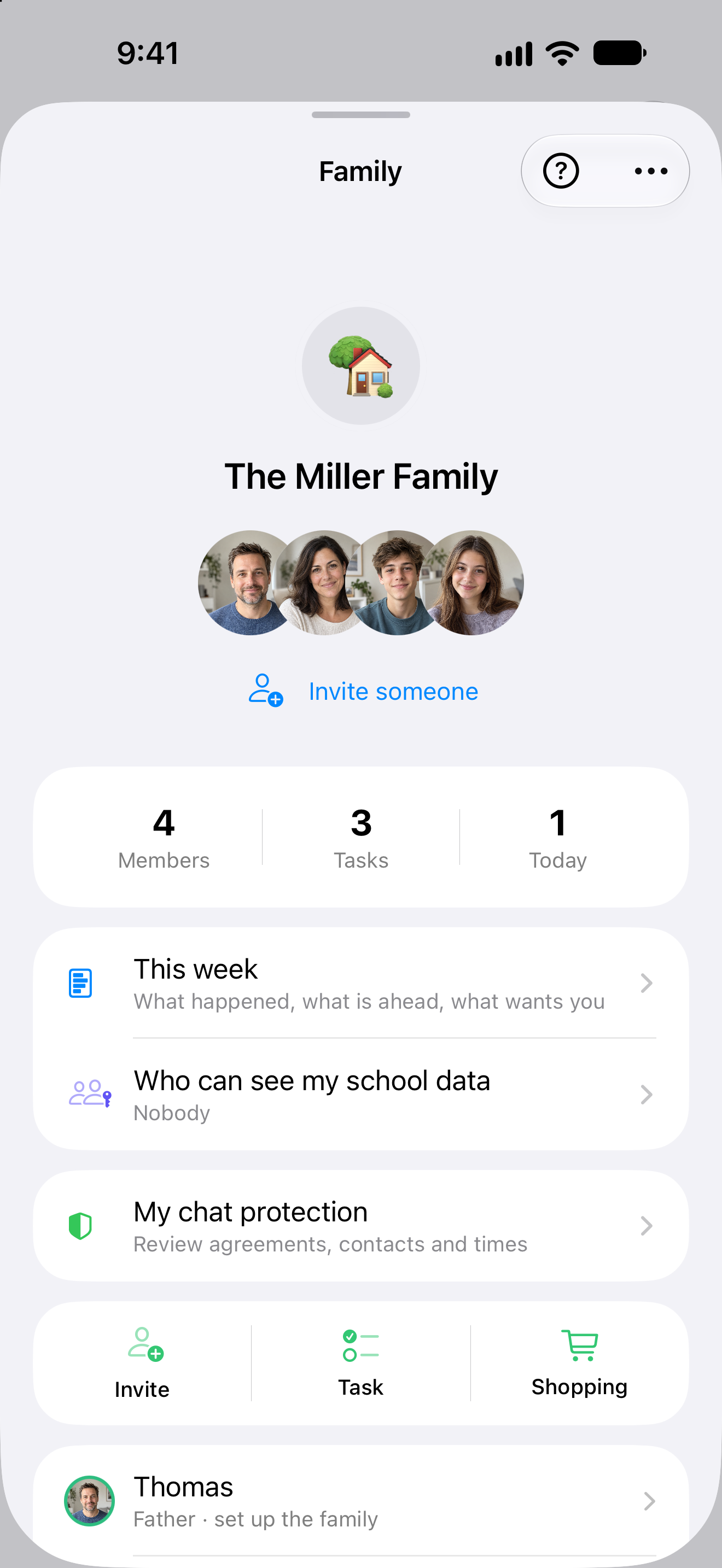
Your family. One shared place.
Clarity app view with example data. Editorial photograph generated with AI.
Family. A closer look.
See how one shared place gives everyone a clearer picture.
Organise together
Go shopping, take on a task, talk about the week. The Family Hub keeps everyday plans easy to find after the conversation has moved on.
Inside the app
Quick actions open a new task or the shopping list. Everyone joins with their own account.
Original Clarity app view from 25 September 2026 with example data.
Less organising. More living.
The little arrangements fill the day. Clarity gives them one place — and you more room for the people behind them.

Clarity Chat
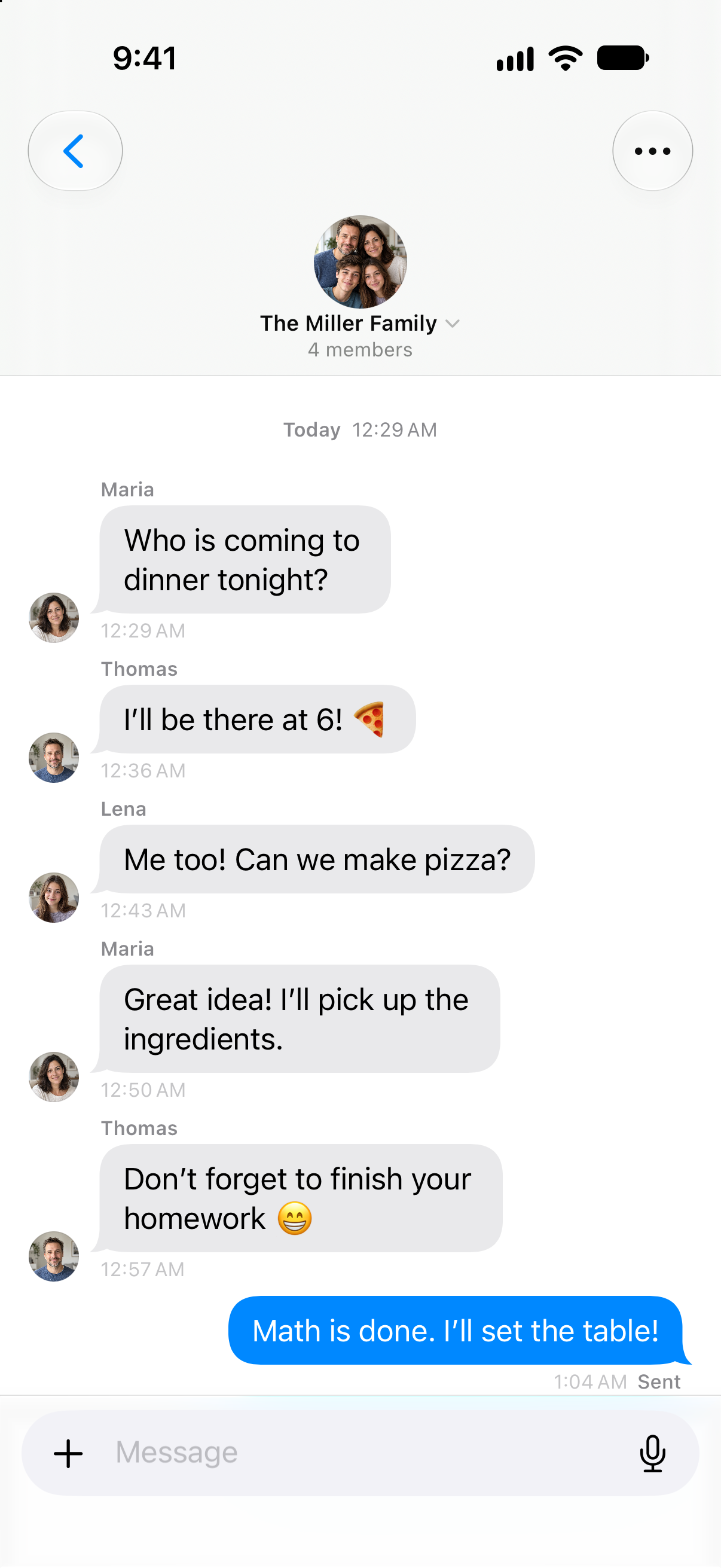
Dinner should start with anticipation. Family chat brings the quick questions and replies into one conversation — so nobody has to pass the message on.
Who is coming? Who will shop? Open the conversation and pick up where you left off.
Family Hub
Once you have made a plan, give the next step a place. Add a task or open the shopping list directly from your Family Hub.
You choose what to add. The conversation stays in chat; your task stays in the shared plan.
Tasks. Shopping. Your week.
Native Clarity views with example data. Animation for illustration.
Room for each other. Space for yourself.
Sharing everyday life doesn’t mean sharing an account. Clarity makes room for what brings you together — and what each person keeps to themselves.
Tasks, shopping and family chat come together in your Family Hub. Everyone joins with their own account.
Your Family Hub
Lena takes on a task. Everyone knows what’s still to do.




4 members
Tasks · Shopping · Family chat
Lena takes on a task. Everyone knows what’s still to do.
Maria asks. Lena chooses whether to share her school report. She decides when Maria can take a look — and when sharing ends.
Parent · Own account
How’s school
going?
Sometimes a shared view helps. With the school report Lena chooses to share, Maria can follow along — from the timetable to the next exam.
Nothing is shared before Lena agrees.
Lena’s school
An event only becomes its own calendar copy when someone chooses to add it.
Family calendar
The flow is closed. Lena can choose to allow the request.
Chats, Journal and Health are not part of the school report.
Journal and health data stay outside the family area. Sharing a school report doesn’t open these personal spaces either.
Family members cannot see personal entries or health data.
Health doesn’t even show whether any readings, medications or documents exist.
Health doesn’t even show whether any readings, medications or documents exist.
Interactive example with a fictional family. It doesn’t change any accounts or permissions.
More about privacyOne family. Different days.
A day off can look different from a school day. Set an example allowance and see how Clarity separates an agreement from an active device setting.
A framework you choose together
After class and homework, there is room for personal interests.
Choose a day and adjust its example allowance. Each kind of day keeps its own value.
Setup status
Set up the agreed allowance on the connected child’s device. Clarity shows when Screen Time permission is still needed. Chat hours have their own setting.
See the setup stepsScreen Time permission is still needed on Lena's iPhone.
Interactive website demo with example data. No settings are changed. Clarity chat hours work separately from app limits; enforcing those limits requires setup on the child's device.
Family setup · try the example
Your child has an account of their own. You send a personal invitation, they accept it. Both of you can see when you’re connected.
The complete setup guideMariaOrganiserLenaChild accountYour family
Check the profile and role before inviting. The invitation is valid for seven days.
Interactive example. No real invitation is sent.
Clarity Family
Your own account. Your own everyday life. And a shared place for everything you organise together.
See what’s included in FamilyMariaThomasLenaNoahInvite up to four people.Five in total, including the person paying. Everyone joins with their own account.
Share your day. Keep your space.Tasks, shopping and family chat bring you together. Personal content stays in its own space; school information is shared by choice.
Illustrated with a fictional family. Each account can belong to one active family.
Discover what is included in Family and find the plan that fits your everyday life.