See all five days: scroll sideways through the timetable.
Saved lesson
Mathematics
Friday, 25 September
Time
08:00–09:30
Room
R201
Assignment in this subject
Probability worksheet
Due · Mon, 28 Sep
Fictional website example
Next example test
Probability
Wed, 7 Oct
Fictional website example
Mathematics. Saved lesson: 08:00–09:30, Room R201. Assignment in this subject: Probability worksheet, Mon, 28 Sep. Next example test: Probability, Wed, 7 Oct. Fictional website example.
The timetable follows the saved app example. Assignments and tests are additional fictional website examples. Choosing a subject only changes this view.
Lessons from your timetable. In the same day as your own events.
Original Clarity app view · fictional example data · 25 September 2026
School is part of your day
After the lesson.Into the rest of your day.
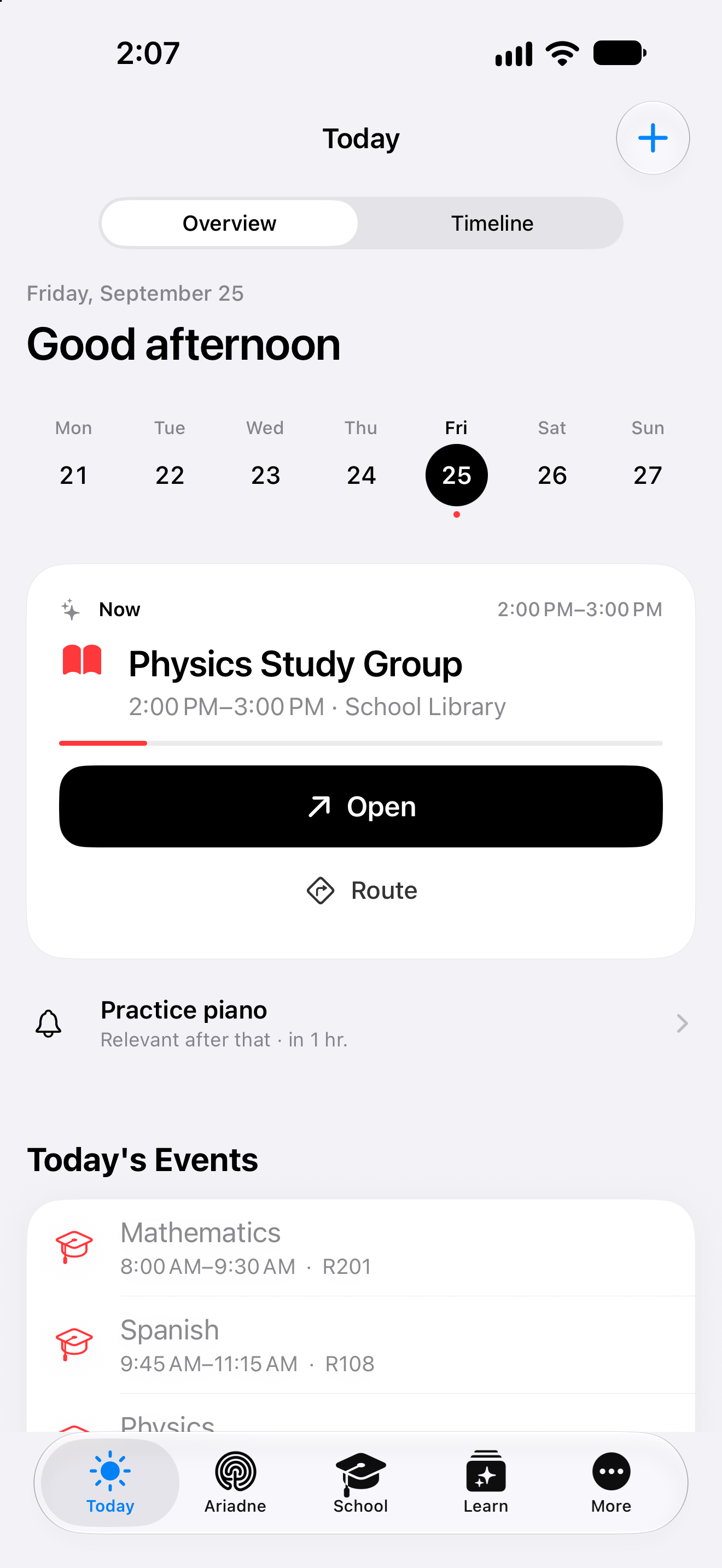
Lessons in the morning. A study group in the afternoon. Today brings your timetable and your own events together, with the time and place you saved.
Amara knows her subjects. On Monday, what she does not yet know is the new timetable: different rooms, different breaks and a test on Friday. In her fictional school week, she begins with the times and fills them with subjects. Assignments, tests and learning material then retain the subject context that connects them in class.
01
Begin the week with its times.
Amara sets up the timetable grid first: school days, starting time, lesson length and breaks. A preview shows how those choices form a day. She then puts subjects into the appropriate slots and adds room R201 for maths. The information can be checked before she relies on the week’s plan to get around school.
02
Maths becomes more than a lesson.
On Friday, maths is in the timetable at eight. Amara opens the subject and finds its assignments. Tomorrow’s task stays with maths; the announced test has its own date and subject context too. She can begin preparation with the appropriate material. The lesson therefore leads into the work that occupies her beyond the time spent in class.
03
The context comes home with her.
Today shows the saved lessons alongside Amara’s personal appointments. She opens the assignment, views its material and starts Focus to work on it. The subject remains its context even after she has gone home. Afterward, she records the task’s status. Timetable, day and study time accompany different parts of the same school week.
Fictional person and everyday situation, illustrating the functions described. AI-created editorial photograph.
A closer look
From the lesson grid to the subject’s material.
Set up the timetable grid
The grid begins with days and times: school start, lesson length, the number of lessons on each day and breaks. Its preview shows how these choices fit together. Amara does not need to rebuild each starting time separately. At this stage it is a structure; subjects and rooms are deliberately added to the appropriate lessons afterward.
Check the shape of your school week before filling it in.
Keep subject, room and time together
A saved lesson points to its subject and carries its times. The room answers Amara’s next practical question in the corridor. The subject also holds assignments and recorded results. From an entry in the weekly plan, she can continue to maths and prepare for the lesson, using the same context that helps when studying later.
Know which lesson is next and which subject area belongs to it.
Assignments with the right subject
Lesson details show assignments belonging to that subject. Amara finds the task where she already checks the lesson. Its due date and saved material remain available in the assignment, while the workspace and Focus timer provide routes into the work. A time estimate helps her decide which part she wants to take on next.
Move from the subject to the work that is still open there.
Tests and material in school context
Tests, study cards and other learning material can retain their subject context. Before the maths test, Amara begins with the right material and chooses a suitable way to study. Further learning and AI features follow the available access. Her source material remains the basis: task, learning content and class teaching can be considered together as she works on the topic.
The test date and its preparation do not have to start as unrelated topics.
See the plan in Today and Calendar
Active timetable lessons provide occurrences for Today and Calendar. Amara sees the same saved school week in her day and in a larger time grid. For a photographed plan, she reviews the recognised details and chooses the import herself. Lessons then remain visible beside personal appointments, allowing school time and the rest of the day to be considered together.
School planning remains visible when you plan the rest of the day.
Your next step
A clearer view of what lies ahead.
Start with the functions included in Free. Compare the plans when you want to go further.