
Clarity Custom Tools
Made for you.Made by you.
Reading, workouts, a personal routine. Choose a template or build your own tool. Your entries and sessions have a place to come back to.
Available

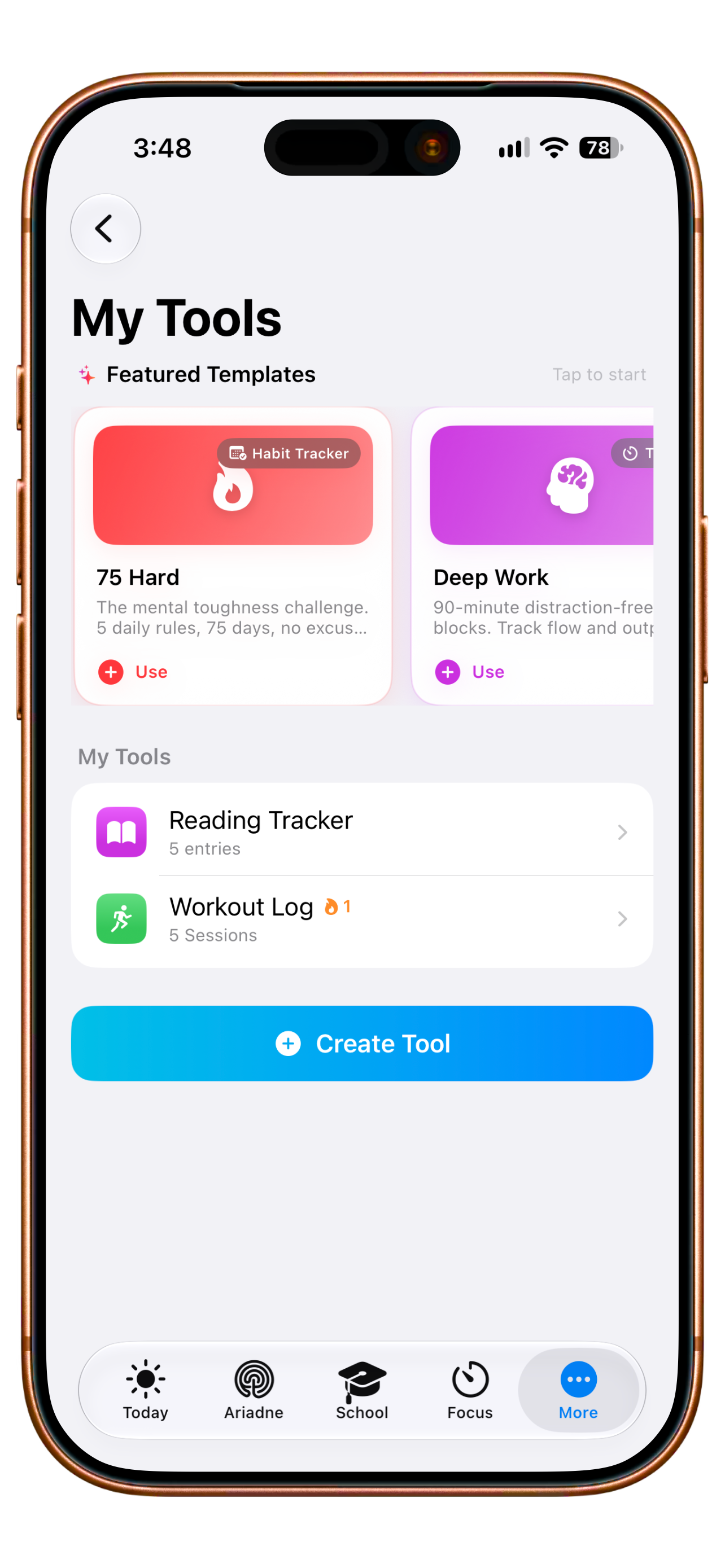
Original English app capture. The entries belong to the capture and are not changed here. AI-created editorial photograph.
Your tools. Your rhythm.
A good routine.Made for your day.
Choose a starting point, shape the steps and try a complete example session. One small repeatable tool can fit where a standard template does not.

MY TOOL
My study start
- 1Shape
- 2Try
- 3Review
STARTING POINT
THREE STEPS TO BEGIN
Interactive website example. Nothing is saved to your account; the native app has its own tool builder.
Learn how custom tools workA closer look
Build a personal tool step by step
Start with a template or your own tool
My Tools lets you begin with an offered template or create a tool of your own. A name, symbol, colour and layout make it recognisable. A reading tracker can contain entries, while a tool in routine mode collects sessions. Each remains a distinct Clarity tool for the activity you actually want to record.
Start small without making one universal list serve every kind of routine.
Choose fields for the activity
The builder offers text, number, date, checkbox, rating, selection and timer fields among others. You decide what information the tool should capture. A reading list might use title and page count; practice might use piece and duration. These are examples of your own configuration, rather than assumed contents of a ready-made tool.
Make the record fit what you want to capture instead of fitting it into an unrelated spreadsheet.
Run a routine as a session
When routine mode is available to your plan, you open a session with a timer, your tool fields and notes. You enter values deliberately and finish the session yourself. Checkbox fields contribute to completion status. Routine mode is plan-dependent, so creating a tool does not promise an unlocked session flow for every account.
Give a repeated activity a clear beginning and a saved record afterwards.
Return to the session history
The tool detail view keeps the history of its own sessions. Return to previous inputs and see what you recorded for this particular activity. Entries and sessions each have their own area. When you open the tool again, the history you have built with that same tool remains reachable beside your next activity.
See what you last recorded yourself before beginning again.
Add statistics and goals
Plus adds tool statistics, goals and routine mode and removes Free's limits of two tools and ten sessions. Choose suitable numeric fields to analyse your saved values and set your own goals for the activity. The history stays with the particular tool whose entries and sessions you have deliberately recorded along the way.
When you use a tool regularly, explore its history through relevant analysis.
Your next step
A tool for your own rhythm.
Start with the functions included in Free. Compare the plans when you want to go further.
- Free
- 2 tools · 10 sessions
- Plus, Family, Teacher
- Unlimited
More about Custom tools.
Technical details
Technical specification
What is connected. What may act. Where the boundary lies.
Consequence classes describe only actions prepared by Clarity. What you enter or start directly remains your own action.
Updated11 August 2026
- Status
- Available
The plan conditions and boundaries named on this page still apply.
- Relevant sources
- ClarityYour own tool and session data
Tools, routines, goals and histories you create within Clarity.
- Action & approval
- C0Observe
No execution path required.
Tool analytics read existing sessions. Creating, starting and changing remain your direct actions.
- Stored scope
The internal Tool Registry is not a public plugin interface.
- Free 2 tools / 10 sessions
- Plus unlimited
- Plan assignment
- Free 2 tools / 10 sessions
- Plus unlimited
- Family
- Teacher
- Known boundary
External tools are declarative, reviewed manifests and do not execute arbitrary third-party code in Clarity.
Good to know
- External tools are declarative, reviewed manifests and do not execute arbitrary third-party code in Clarity.
- The Developer Sandbox validates and simulates; a public native SDK has not yet been released.
- New permissions require new, visible consent and cannot appear silently through an update.